Panel Monitor Product List and Ranking from 9 Manufacturers, Suppliers and Companies | IPROS

Last Updated: Aggregation Period:Mar 18, 2026~Apr 14, 2026
This ranking is based on the number of page views on our site.

Panel Monitor Manufacturer, Suppliers and Company Rankings

Last Updated: Aggregation Period:Mar 18, 2026~Apr 14, 2026
This ranking is based on the number of page views on our site.

  1. EIZO Ishikawa//Information and Communications
  2. イーツールズ Aichi//Information and Communications
  3. null/null
  4. 4 サンテックス Shizuoka//Trading company/Wholesale
  5. 4 株式会社シーエムバー Aichi//others

Panel Monitor Product ranking

Last Updated: Aggregation Period:Mar 18, 2026~Apr 14, 2026
This ranking is based on the number of page views on our site.

  1. 【Basic Knowledge】Introduction to Paper Mode EIZO
  2. 【Presentation】Large Monitor 'e-Screen98' イーツールズ
  3. Industrial Touch Panel Monitor 'VL3 FPM Series'
  4. 4K Compatible Professional Monitor SEETEC 4K156/173-9HSD サンテックス
  5. 4 [Basic Knowledge] Recommended Resolution and Pixel Pitch of Monitors EIZO

Panel Monitor Product List

1~16 item / All 16 items

Displayed results

7-inch Analog HD Monitor 'ML-7AH'

7-inch 4ch input analog HD monitor

The "ML-7AH" is a monitor that can accept 4-channel input. With a compact size of 505(W)×157(D)×79(H)mm, it is easy to handle. Please feel free to contact us if you have any inquiries. 【Features】 ■1024×600 ■6W ■DC +12V~+24V (±10 percent) ■LED backlight *For more details, please download the PDF or contact us.

  • others
  • Panel Monitor

Added to bookmarks

Bookmarks list

Bookmark has been removed

Bookmarks list

You can't add any more bookmarks

By registering as a member, you can increase the number of bookmarks you can save and organize them with labels.

Free membership registration

4K Compatible Professional Monitor SEETEC 4K156-9HSD

15.6-inch wide LCD monitor, 16:9, 3G-SDI input/output & 4 HDMI/1 DVI/1 VGA input, 4K HDMI display

<Features> - 15.6-inch wide (16:9) IPS LCD panel - 3840x2160 high-resolution LCD - High resolution 3840x2160 (4K UHD) display (HDMI) - Wide viewing angle 85°/85° (L/R), 85°/85° (U/D) - Abundant input and output options 3G-SDI input x1, 3G-SDI output x1 HDMI input x4 (HDMI2.0 x1, HDMI1.4 x3) DVI input x1, VGA input x1, Audio, Tally - Rich auxiliary features Split screen, screen rotation Shooting assistance features (False Color, Check Field, Zoom-in) - XLR power connection available

  • Information display device
  • Measurement and analysis equipment leasing and rental
  • Other store equipment and supplies
  • Panel Monitor

Added to bookmarks

Bookmarks list

Bookmark has been removed

Bookmarks list

You can't add any more bookmarks

By registering as a member, you can increase the number of bookmarks you can save and organize them with labels.

Free membership registration

10.4" Front Waterproof Monitor KINGDY TM105P(R)W/K

10.4-inch flat bezel LCD monitor, IP66 front dustproof and waterproof, projected capacitive/5-wire resistive touch, extended temperature range (-20 to 60°C)

<Features> - 10.4-inch TFT (4:3) - Extended temperature range (-20 to 60°C) - Flat bezel design - IP66 front dust and water resistant - Housing: Aluminum - Resolution: 1024 x 768 - Brightness: 350 cd/m² (PW03/04, RW03/04), 1000 cd/m² (PK03/04, RK03/04) - Viewing angle (H/V): 150/150 - Touch panel: Projected capacitive/5-wire resistive - VESA mount (75 x 75 mm), panel mount, clip mount

  • Information display device
  • Other store equipment and supplies
  • Measurement and analysis equipment leasing and rental
  • Panel Monitor

Added to bookmarks

Bookmarks list

Bookmark has been removed

Bookmarks list

You can't add any more bookmarks

By registering as a member, you can increase the number of bookmarks you can save and organize them with labels.

Free membership registration

[Basic Knowledge] Recommended Resolution and Pixel Pitch of Monitors

For those using monitors! Introducing the differences in "pixel pitch" and "images when enlarged"!

What do the terms "recommended resolution" and "pixel pitch" of a monitor mean? In this article, we will explain how each of these relates to the appearance of the monitor, with examples. Please take a moment to read it. 【Contents】 ■ Displaying a 1280×1024 image on a monitor with a recommended resolution of 1920×1200 ■ How to set the monitor resolution ■ Differences in pixel pitch (image) ■ Image when enlarged *For detailed information, you can view it through the related links. Feel free to contact us for more details.

  • Company:EIZO
  • Price:Other
  • Other PCs and OA equipment
  • Panel Monitor

Added to bookmarks

Bookmarks list

Bookmark has been removed

Bookmarks list

You can't add any more bookmarks

By registering as a member, you can increase the number of bookmarks you can save and organize them with labels.

Free membership registration

Presenting use cases! Touch monitor at the reception terminal!

Touch panel monitors ideal for reception terminals in banks, office buildings, hotels, and government offices!

EIZO offers a wide range of touch panel monitors in various sizes and touch methods. We are currently distributing free use cases for touch panel monitors suitable for reception terminals in various locations! We introduce models that are resistant to scratches and highly durable, as well as models that allow operation with gloves, making them ideal for places used by many people. By introducing touch panel monitors at service counters and receptions, we can reduce the workload of staff and streamline the reception process. ★ For more details, please download the PDF.

  • Company:EIZO
  • Price:Other
  • others
  • Panel Monitor

Added to bookmarks

Bookmarks list

Bookmark has been removed

Bookmarks list

You can't add any more bookmarks

By registering as a member, you can increase the number of bookmarks you can save and organize them with labels.

Free membership registration

Industrial-grade touch panel monitor "APPD Series"

Compatible with the included dedicated clamp and VESA mount! Solid installation and mounting are possible.

The "APPD Series" is a legacy 4:3 resistive membrane type industrial-grade touchscreen monitor. It complies with IP65 and is suitable for applications in harsh environments such as industrial fields and high-frequency retail markets. It can be used for a long time as a control panel or general input device in various industrial sectors, as well as a display device. 【Features】 ■ Heavy-duty design that withstands harsh environments ■ Uses a 4:3 industrial LCD panel ■ Waterproof and dustproof IP65 front panel ■ Touch panel with reliable input using a 5-wire resistive membrane ■ Four types ranging from 12.1 inches to 19 inches - APPD 1206T, APPD 1501T, APPD 1701T, APPD 1901T *For more details, please refer to the PDF document or feel free to contact us.

  • Other commercial buildings and service facilities
  • Panel Monitor

Added to bookmarks

Bookmarks list

Bookmark has been removed

Bookmarks list

You can't add any more bookmarks

By registering as a member, you can increase the number of bookmarks you can save and organize them with labels.

Free membership registration

【Basic Knowledge】Introduction to Paper Mode

Technology born from a design philosophy that takes ergonomics into consideration! A feature that brings the appearance of the monitor closer to that of paper.

The monitor is equipped with various adjustment functions. If the monitor feels too bright and makes it difficult to read documents, lowering the brightness should make it easier to read. However, the issue is that what is displayed on the monitor is not just documents. In daily life, we display various things such as websites, videos, and photos, and the appropriate display settings differ for each. In this article, we will introduce the mechanism and benefits of "Paper mode," which adjusts the display to resemble the texture of paper. Please take a moment to read it. [Contents (partial)] ■ Why are documents on the monitor hard to see? ■ The monitor needs adjustments depending on what you are viewing ■ The monitor that comes as a bonus with your PC has its limits ■ Paper mode simply switches to a pre-prepared setting! *For detailed information, please refer to the related links. Feel free to contact us for more details.

  • Company:EIZO
  • Price:Other
  • Other PCs and OA equipment
  • Panel Monitor

Added to bookmarks

Bookmarks list

Bookmark has been removed

Bookmarks list

You can't add any more bookmarks

By registering as a member, you can increase the number of bookmarks you can save and organize them with labels.

Free membership registration

[Presentation of Materials] Touch Monitor is EIZO! Introducing various usage examples.

Presenting a case study introduction document. Numerous implementation achievements, from device integration to medical institutions, banks, and hotel reception terminals!

EIZO offers a rich lineup of touch panel monitors. 【Use Case Introductions】 1. For promoting DX in factories/warehouses! We introduce models recommended for displaying instructions on production lines and operating devices. 2. For glove operation! We introduce models suitable for glove operation in clean rooms and medical institutions. 3. For precise inspections using electronic handwritten signatures and images! We introduce models suitable for detailed operations like handwritten signatures and pinch-out gestures. 4. For promoting paperless environments! We introduce models that are easy to input text and diagrams. 5. For reception terminals! We introduce models with high durability and those suitable for use in places with many users. ★ For more details, please refer to the materials.

  • Company:EIZO
  • Price:Other
  • others
  • Panel Monitor

Added to bookmarks

Bookmarks list

Bookmark has been removed

Bookmarks list

You can't add any more bookmarks

By registering as a member, you can increase the number of bookmarks you can save and organize them with labels.

Free membership registration

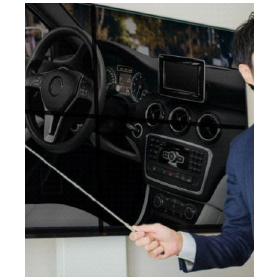
【Presentation】Large Monitor 'e-Screen98'

During the presentation, will you still dim the lights? It's no longer necessary.

The "e-Screen98" is a large 98-inch monitor that can be used for presentations. It displays high-quality product images, allowing you to write on them with a pen for persuasive explanations. Additionally, it comes with a variety of features to support on-screen explanations. Enjoy the impressive 98-inch 4K display. 【Various Features】 ■ Touch panel ■ Smart pen ■ Wireless projection ■ Touchback compatible resource switching ■ Multi-screen interaction *For more details, please download the PDF or feel free to contact us.

  • オンライン会議2.png
  • オンライン会議3.png
  • Audio and video equipment
  • Panel Monitor

Added to bookmarks

Bookmarks list

Bookmark has been removed

Bookmarks list

You can't add any more bookmarks

By registering as a member, you can increase the number of bookmarks you can save and organize them with labels.

Free membership registration

Full flat 10.1-inch monitor with industrial touch panel

Introducing an industrial LCD that can be connected via HDMI/VGA and is also compatible with Raspberry Pi!

The "LOF101GF7P-80R" is an industrial monitor with a touch panel that can be supplied for a long term. It features standard interfaces HDMI/VGA and can also be used with Raspberry Pi. It adopts an IPS panel, achieving vibrant displays with a wide viewing angle. It is used in various embedded applications, including industrial equipment, medical devices, measuring instruments, and kiosks. 【Features】 ■ Long-term supply available as an industrial monitor ■ Equipped with standard interfaces HDMI/VGA ■ Front is fully flat for a sleek appearance ■ IPS panel adopted for vibrant displays with a wide viewing angle ■ Supports small lot production ■ Available for purchase in sets starting from one for evaluation *For more details, please refer to the PDF materials or feel free to contact us.

  • Other PCs and OA equipment
  • Panel Monitor

Added to bookmarks

Bookmarks list

Bookmark has been removed

Bookmarks list

You can't add any more bookmarks

By registering as a member, you can increase the number of bookmarks you can save and organize them with labels.

Free membership registration

Touch Panel Monitor & Content "TOUCH ME!"

Affordable hardware and creative content production!

The definitive version of digital signage! The long-awaited touch panel has finally arrived for digital signage, which is gaining attention as a new media that utilizes visuals! The interactive possibility of allowing users to select information expands the usage scenarios!

  • Other store equipment and supplies
  • others
  • Other commercial buildings and service facilities
  • Panel Monitor

Added to bookmarks

Bookmarks list

Bookmark has been removed

Bookmarks list

You can't add any more bookmarks

By registering as a member, you can increase the number of bookmarks you can save and organize them with labels.

Free membership registration

4K Compatible Professional Monitor SEETEC 4K156/173-9HSD

15.6/17.3 inch wide LCD monitor, 16:9, 3G-SDI input/output & 4 HDMI DVI VGA inputs, 4K HDMI display

<Features> - 15.6/17.3 inch wide (16:9) IPS LCD panel - 3840x2160 high-resolution LCD adopted - High resolution 3840x2160 (4K UHD) display (HDMI) - Wide viewing angle 89°/89° (L/R), 89°/89° (U/D) - Abundant input and output options 3G-SDI input x1, 3G-SDI output x1 HDMI input x4 (HDMI2.0 x1, HDMI1.4 x3) DVI input x1, VGA input x1, Audio, Tally - Rich auxiliary functions Split screen, screen rotation Shooting assist functions (False Color, Check Field, Zoom-in) - XLR power connection possible

  • Information display device
  • Measurement and analysis equipment leasing and rental
  • Other store equipment and supplies
  • Panel Monitor

Added to bookmarks

Bookmarks list

Bookmark has been removed

Bookmarks list

You can't add any more bookmarks

By registering as a member, you can increase the number of bookmarks you can save and organize them with labels.

Free membership registration

How to Choose an Industrial Touch Panel Monitor / Explanation of Resolution and Price Range

Introducing suitable selection criteria for industrial touch panel monitors!

Are you struggling to choose an industrial touch panel monitor? The performance required in various work environments such as factories, warehouses, and medical settings can vary greatly. Here, we will provide a clear explanation from an expert's perspective on how to choose based on application, resolution, durability, and price range. By selecting the appropriate industrial touch panel monitor, you can achieve both improved operational efficiency and cost reduction. We will introduce selection criteria to maximize your investment returns. *For more details on the column, please refer to the related links. Feel free to contact us for more information.*

  • others
  • Panel Monitor

Added to bookmarks

Bookmarks list

Bookmark has been removed

Bookmarks list

You can't add any more bookmarks

By registering as a member, you can increase the number of bookmarks you can save and organize them with labels.

Free membership registration